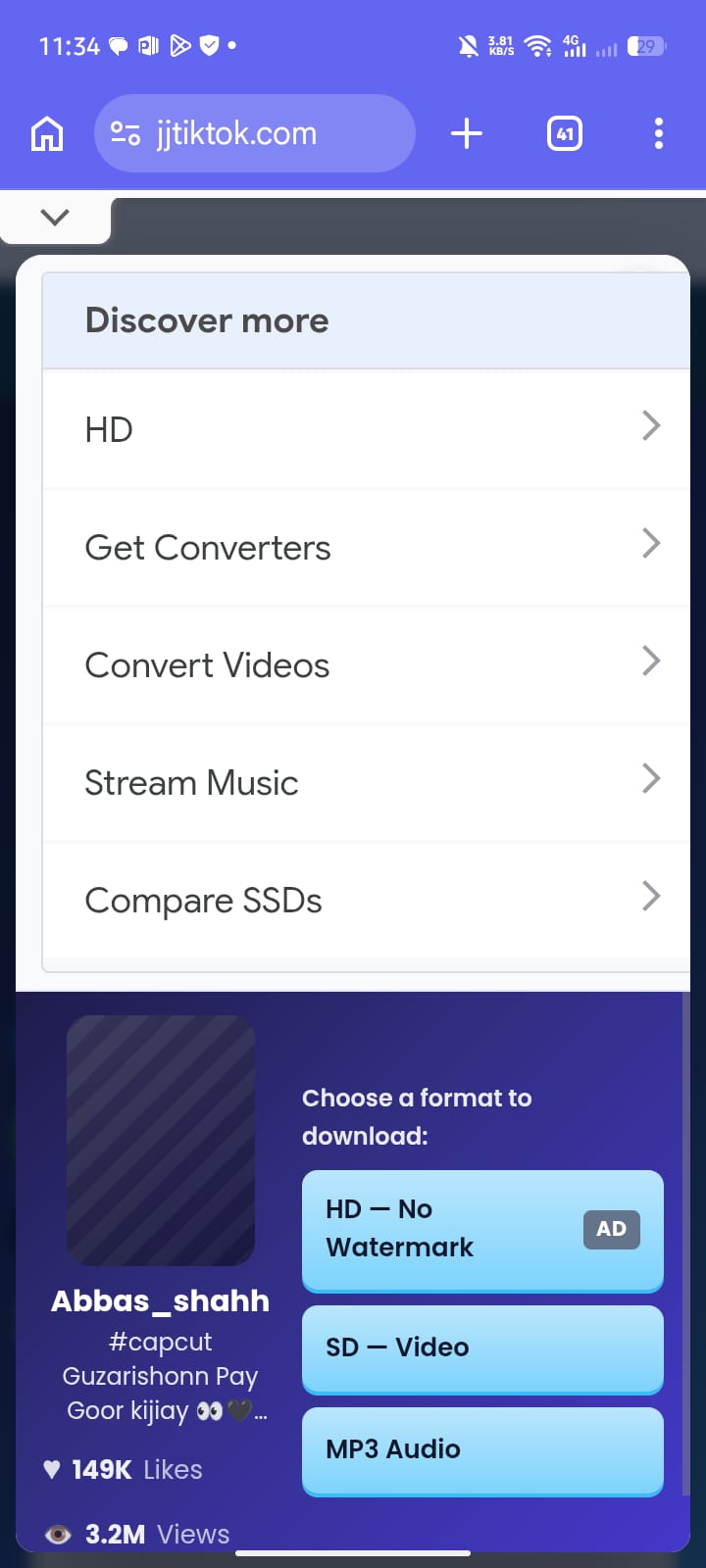
TikTok Video Downloader

Paste a public TikTok link, pick a format, and save the file on your device.

What JJTikTok Helps You Do

JJTikTok is a browser helper for keeping a public TikTok clip on your phone or computer. Paste a link you can already open in TikTok; the page checks which formats that clip exposes, then you choose one to save. It is for offline viewing of public media — not private videos, not account management, and not a promise that every URL will resolve.

How to Download a TikTok Video

  1. Copy the TikTok video link

    Open the clip in TikTok, tap Share, then Copy link so your clipboard holds a full URL.

  2. Paste the link on this page

    Put that URL in the field above and start the fetch so available formats can load.
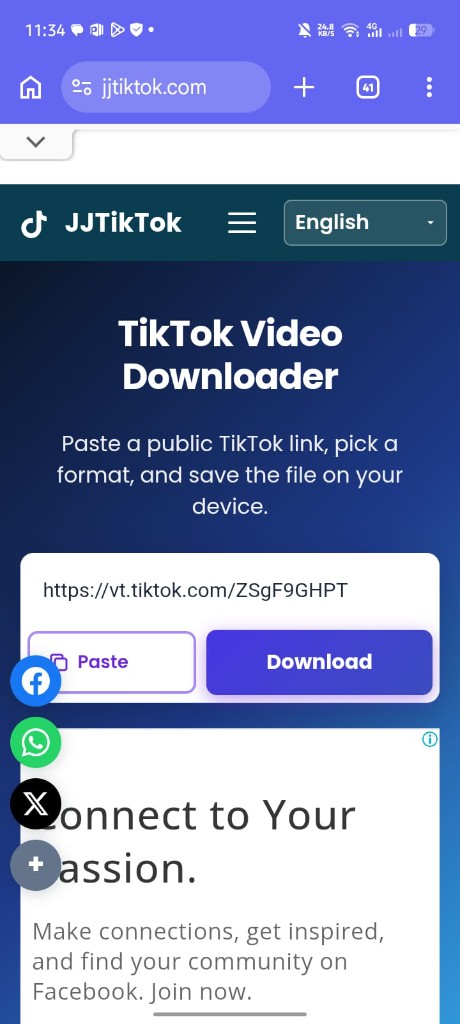
  3. Choose a format and save

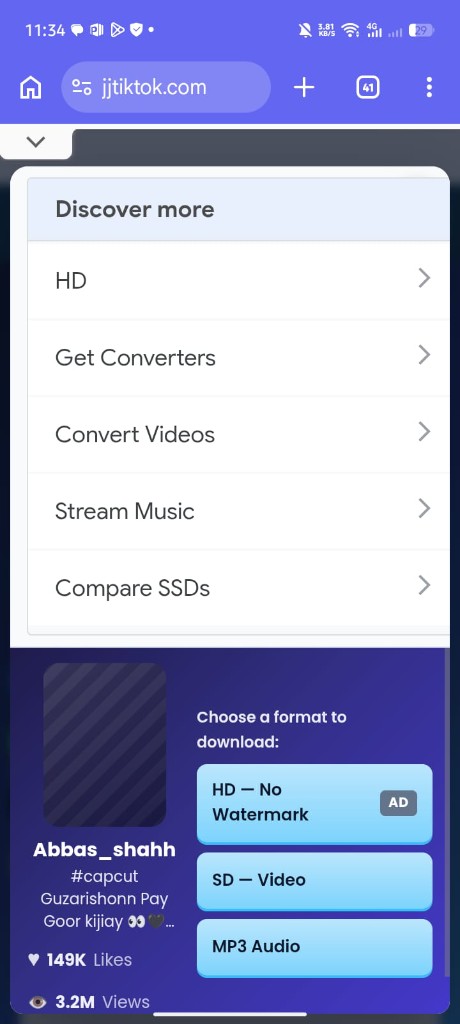
    When options appear, pick HD, standard MP4, or MP3 and finish the save in your browser.
Download From Any Modern Browser

JJTikTok runs in the browser you already use — no installer and no app store wait. Open the site on Android, iPhone, Windows, or Mac, paste a public TikTok URL, and work from the format list. The same flow works on mobile data or Wi‑Fi. You need a current browser and a link that still points to a public clip.

HD, Standard, and MP3 — When Each Appears

After a successful fetch, buttons match what that clip can offer now. HD shows when a higher-resolution source is available. Standard MP4 is the everyday option when HD is absent or you want a smaller file. MP3 appears when an audio-only stream can be separated. A missing button usually means that format is not exposed — copy a fresh URL if the list looks incomplete.

When HD Is Available (and When It Is Not)

HD is optional, not automatic. Creators upload at different resolutions, and some temporary media links only expose a standard stream. Choose HD when listed for clearer playback on larger screens. If HD is missing, standard MP4 still saves the public video — just not at the highest resolution. A newly copied link helps when an older share URL has gone stale.

Saving Without a Platform Watermark

A cleaner file without the platform logo appears only when a clean source is available for that public clip. If the only reachable stream already includes branding, that is what you get. JJTikTok shows the clean option when the source allows it — it does not invent a watermark-free file from a branded-only stream. Respect creator rights and TikTok’s terms when reusing saved clips.

Android, iPhone, and Desktop Download Behavior

Android browsers often place the file in Downloads or ask where to store it. On iPhone, Safari and Chrome often open a preview or share sheet — use Share, then Save to Files or Save Video. On Windows and Mac, files usually land in Downloads, or the browser asks for a path if “ask where to save” is on. Temporary media URLs expire quickly, so start the save soon after formats appear.

Why Saved Quality Can Differ

Download quality depends on the original upload, which streams that link exposes, network stability, and whether a temporary media URL is still valid. Soft or blocky results usually mean the available source was already limited. A fresh link from the TikTok app often helps more than switching devices. Quality follows what the public source provides at fetch time.

Common Problems and What to Try

Not every TikTok URL will download. Checklist when something fails:

  • Invalid URL — Paste a complete TikTok link, not truncated share text.
  • Private video — Private or friends-only clips cannot be fetched by this public tool.
  • Deleted video — Removed posts return no formats; deleted media cannot be recovered here.
  • Region-restricted — Some clips are blocked in certain countries; try another public link if yours is restricted.
  • Expired link — Old short or cached share URLs can stop resolving; copy the link again from TikTok.
  • Unavailable HD — Choose standard MP4 when HD is not listed for that clip.
  • Unavailable MP3 — Audio-only export is not offered for every video; use MP4 if MP3 is missing.
  • Slow download — Large files and weak networks take longer; keep the tab open until the browser finishes.
  • iPhone behavior — Use the share sheet to Save to Files or Photos if the file does not appear automatically.
  • Android behavior — Check Downloads or the Files app; some browsers ask you to confirm the save.
  • Browser download folder — Desktop saves follow your browser’s default folder or “ask every time” setting.
  • Temporary media URLs — Format links can expire; fetch again and download promptly if a save fails mid-way.

We do not claim every public URL works every time — temporary outages and source limits happen.

Privacy: What Happens When You Paste a Link

When you paste a TikTok URL, JJTikTok uses that link to look up publicly available media formats so you can save a file on your device. Treat the link like any other URL submitted to an online tool. We do not invent long-term storage guarantees on our servers — assume downloads live on your device under normal browser save behavior. Prefer public links only.

Frequently Asked Questions

How do I download a TikTok video?

Copy the link from TikTok, paste it into the box on this page, wait for formats, then choose HD, standard, or MP3 and save.

Is JJTikTok free?

Yes. You can use JJTikTok without paying to fetch formats for public TikTok links in your browser.

Do I need a TikTok account?

No TikTok login is required on this site. You only need a valid public video link.

Does it work on Android?

Yes. Open this page in a mobile browser, paste the link, and save — files often go to Downloads or a confirm dialog.

Does it work on iPhone?

Yes. Use Safari or Chrome, then Save to Files or Save Video from the share sheet if needed.

Does it work on desktop?

Yes. Chrome, Edge, Firefox, Safari, and other modern desktop browsers can complete the download to your Downloads folder.

Why is my TikTok link not working?

The clip may be private, deleted, region-restricted, or the URL may be incomplete. Copy a fresh public link and try again.

What if the link expired?

Short or cached share links can stop resolving. Open the video in TikTok again, copy the link, and paste the new URL here.

Why is MP3 unavailable?

Not every clip exposes an audio-only stream. If MP3 is missing, download the MP4 and extract audio elsewhere if you need it.

Why is HD unavailable?

HD appears only when a higher-resolution source is available. Use the standard MP4 option when HD is not listed.

Where is my downloaded file?

Check your browser’s default download folder on desktop, Downloads or Files on Android, and Files/Photos via the share sheet on iPhone.

Does JJTikTok store my videos?

The tool fetches public media formats from the link you paste so you can save locally. Do not assume we keep a permanent personal library of your downloads.

Can I download private TikTok videos?

No. Private or non-public videos cannot be accessed through this public downloader.